Blog · Google Veo product video
Google Veo Product Video: When Cinematic AI Helps Ecommerce (and When It Doesn’t)
Google Veo product video guide for 2026: Veo 3.1 cinematic strengths, native audio, ecommerce QA limits, and when AmazVid Seedance paths beat raw Veo for listings.
Updated 2026-09-05 · 12 min read · AmazVid Editorial
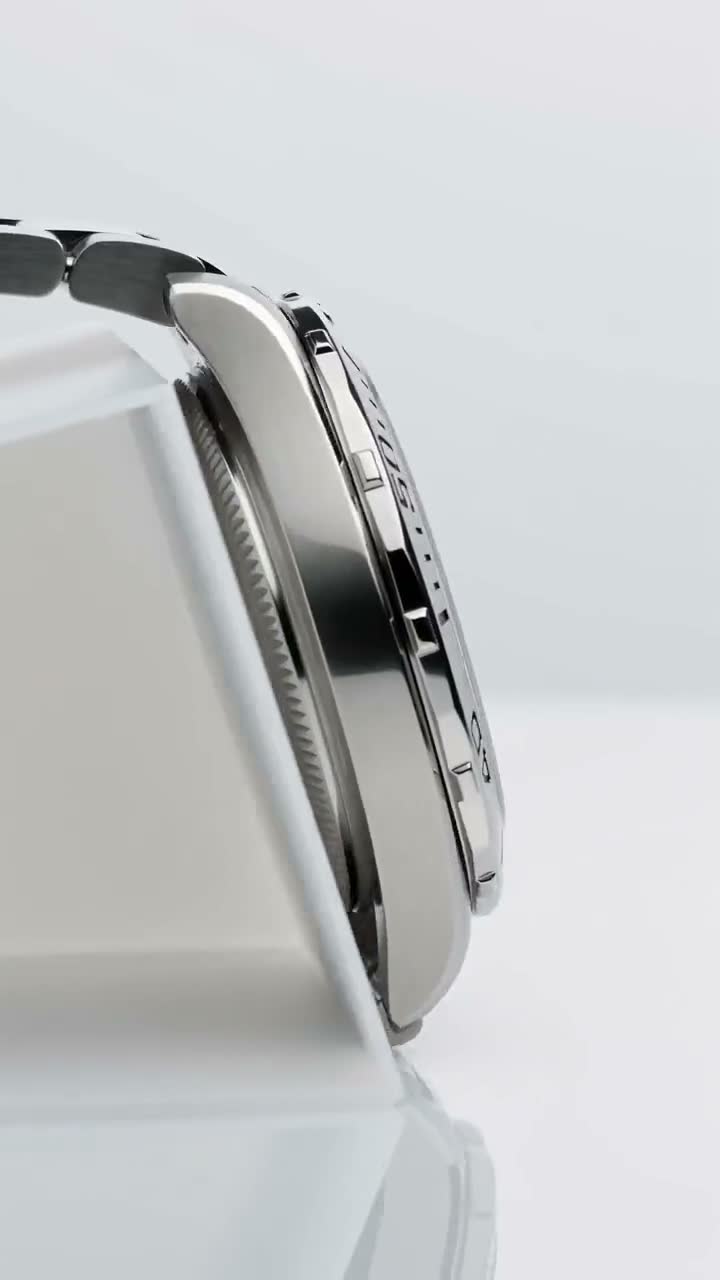
Google Veo product video searches spiked as Veo 3.1-class models topped cinematic bake-offs. Sellers ask: should every Amazon clip come from Veo? Short answer — no. Use Veo-class generators for hero brand moments; use ecommerce wrappers for catalogue truth.
Model map: Sora vs Veo vs Kling vs Seedance. Daily seller path: AmazVid homepage.
Hubs: AI product video · AI Amazon video · URL → video

What Veo-class actually wins
Veo 3.1-class strengths commonly cited in 2026:
- Photoreal lighting and coherent cameras
- Native audio on many tiers
- Broadcast-feeling polish for brand spots
- Strong “does this look real?” first impressions
Those strengths matter when the deliverable is a campaign, not a silent ASIN tile.
Where Veo-class struggles for ecommerce ops
- Catalogue scale — 200 SKUs need URL/photo ingest and batch ops, not one-off cinematic prompts
- Silent PDP defaults — marketplaces autoplay muted; audio-first pipelines add steps
- Packaging fidelity — cinematic motion can still warp tiny logos without a strict still lock
- Cost per usable take — hero quality is expensive if you regenerate until labels survive
For listing-true motion, Seedance / MiniMax-class paths inside AmazVid usually fail less. Compare: Seedance 2.5 vs MiniMax H3 and ecommerce product AI video.
Recommended split workflow
Brand hero (Veo-class)
- Brief the shot (lifestyle, lighting, emotion).
- Generate with Veo-class or Runway-class creative suites.
- Legal + brand QA.
- Publish on site homepage, YouTube, or paid with audio.
Catalogue / PDP (AmazVid)
- Paste product URL or upload listing still.
- Lock first frame.
- Product shot mode, silent 1080p.
- Upload to Amazon gallery / Shopify PDP.
Tool comparison: AmazVid vs Runway vs Kling. Ranking context: best AI video generator 2026. Amazon path: Amazon ASIN to video · Learn ASIN.
If you insist on Veo for a product clip
Follow the same ecommerce discipline:
- Image-to-video from the approved still — never invent the SKU from text alone
- Conservative camera prompts (slow push-in, soft orbit)
- Export a silent master for PDP; keep audio versions for ads only
- Mobile logo QA before Seller Central
- No watermarks, commercial license confirmed
Silent export checklist: silent product video no watermark.
Veo vs Kling vs Seedance (seller lens)
| Need | Lean toward |
|---|---|
| Cinematic brand film | Veo-class |
| High-energy social hook | Kling-class |
| Camera-true packshot orbit | Seedance-class / AmazVid |
| URL → silent MP4 at scale | AmazVid |
Kling deep dive: Kling AI product video.
When AmazVid wins vs Veo (and vs Topview)
AmazVid wins when the KPI is catalogue upload rate and packaging truth. Veo wins when the KPI is brand-film polish. Topview wins when SBV/UGC ad variants are the Amazon ads job — AmazVid vs Topview · compare Topview. Do not force one tool to own every lane.
Credits: hero vs catalogue
Veo-class hero spots are expensive per usable take. AmazVid Product shots at 2–3 credits keep catalogue unit economics sane; reserve Veo budget for a few homepage heroes. Planning: AI product video pricing credits.
Mistakes to avoid
- Replacing every gallery video with Veo demos
- Uploading audio-heavy clips that fight muted autoplay UX
- Skipping fidelity QA because “it looks expensive”
- Building a single-model dependency with no Seedance/Kling fallback
- Ignoring Amazon requirements — Amazon listing video requirements
Pre-publish QA checklist
- [ ] Still is the approved listing hero (not a moodboard invent)
- [ ] Silent master exists for PDP / gallery
- [ ] Audio version kept only for brand / paid placements
- [ ] Logos readable on mobile pause
- [ ] Commercial license confirmed; no watermark
- [ ] Catalogue SKUs still routed through AmazVid (not Veo-only)
Bottom line
Google Veo product video belongs in the brand film lane. Ecommerce conversion still hinges on listing-true, silent, first-frame-locked clips — the job AmazVid is built for. Route Veo-class polish to heroes; route Seedance-class continuity to catalogues.
Generate a silent product clip on AmazVid before you spend Veo credits on every SKU. Start free — 2 credits on signup.
Team & job landings
Solutions by team · use cases by job — open the hub that matches how you ship.
Frequently asked questions
Is Google Veo the best AI video for product listings?
Veo-class models often win cinematic bake-offs, but listing galleries need silent, packaging-true clips. AmazVid with Seedance-class motion usually fits catalogue ops better.
Should I use Veo audio on Amazon?
Prefer silent masters for gallery autoplay. Keep Veo audio versions for brand sites, YouTube, or paid social where sound can play.
Veo vs Sora for ecommerce?
Both can produce impressive narrative shots. Neither replaces a first-frame-locked ecommerce workflow for ASIN-scale catalogues.
How do I access Google Veo in 2026?
Veo-class generators are available via Google Labs, VideoFX, and partner integrations. For ecommerce sellers, a Seedance-class wrapper like AmazVid is usually more accessible and better tuned for catalogue fidelity.
Can I use Veo to make wearable try-on videos?
Veo cinematic output can inform brand lookbook assets, but structured wearable try-on (eyewear, apparel on a virtual model) benefits from purpose-built tools. See our wearable try-on guide for the right workflow.
Related guides
- AmazVid homepage — AI product video generator
- Sora vs Veo vs Kling vs Seedance 2026
- Best AI Video Generator 2026
- Ecommerce Product AI Video Guide
- Seedance 2.5 vs MiniMax H3
- AmazVid vs Runway vs Kling
- Amazon ASIN to Video: Tutorial (2026)
- AmazVid vs Topview: Listing-True Video vs Design Agent
- AmazVid use cases — job playbooks
- AmazVid pricing
Sources
Ready to generate product video?
Paste a product link, lock the first frame, export silent 1080p — 2 free credits. No prompts required.